
Homelab on HP T630
Self-hosted stack on a low-power thin client. Matrix with bridges to WhatsApp/Telegram/Discord, Vaultwarden, ntfy, AdGuard Home, Uptime Kuma. Behind Caddy and Cloudflare Tunnel. Real self-hosting.
What’s running
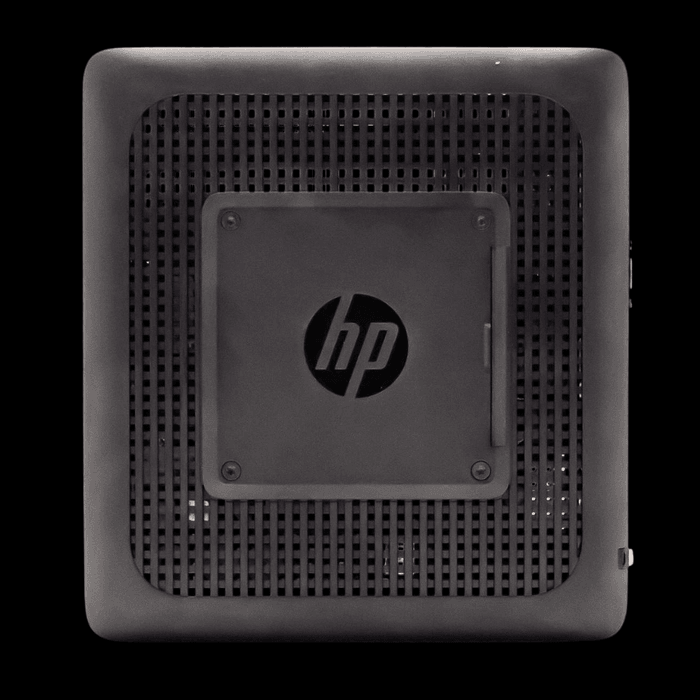
An HP T630 thin client on Debian, Docker as the container layer. Low power, silent, small. On it:
- Matrix/Synapse as the central messaging hub
- Bridges to WhatsApp, Telegram and Discord, all in the same Element client
- Vaultwarden as self-hosted Bitwarden server for passwords
- ntfy for push notifications from scripts and servers to my phone
- AdGuard Home as network-wide DNS filter for ads and trackers
- Uptime Kuma for monitoring everything that runs
- Caddy as reverse proxy with automatic TLS
- Cloudflare Tunnel instead of open ports on the router
Why not a Pi
The T630 has an x86 CPU with enough power for several parallel containers, an mSATA slot, and idles at around 5 to 8 watts. You can pick one up second-hand for around a hundred bucks. No tinker rig, no flaky SD card setup.
Why not a cloud stack
Because what runs here is built on my data. Messages, passwords, notifications. Putting that into someone else’s data center gives me the wrong trade: convenience for control. With the T630 at home I keep both. Works, and I know where it lives.
Why Cloudflare Tunnel instead of port forwarding
No open port on the router. The tunnel builds outward from inside, is DDoS-resistant out of the box, and I don’t need my own public IPv4. Caddy handles TLS internally, Cloudflare handles the external layer.
What this isn’t
“Just messing around.” The stack runs as a production setup for my daily life. Outages I notice instantly because I live with the system. That’s why it runs cleanly. No workaround sticks for long.